A simple, step-by-step way to get good at Excel. No more guessing, no more endless YouTube searches.
You're Just One Clear Learning Path Away From Feeling Confident in Excel – Without Spending Years Piecing It Together
Take the Excel Fundamentals track and learn, in the right order, how to clean messy data, use lookups, build PivotTables and make dashboards – without feeling lost or wasting hours on random tutorials.
Every first chapter is free. Try it before you pay. 🔐
5 short courses. About 16 hours. Zero experience needed.
You'll learn Excel in the right order, from the basics to the skills that make bosses ask "how did you do that?". Every lesson builds on the one before, so nothing feels like a random trick. That matters because confidence comes from understanding why something works, not from copying it.
Imagine opening your laptop on Monday and knowing exactly how to tackle the report that used to take you all morning. Imagine typing a lookup and seeing it work the first time… Imagine finally proving to yourself that you're "good at Excel", without months of trial and error.

Learn by doing: short videos, then hands-on exercises in every lesson!
You don't need to finish the whole program to see a change. A few short lessons are enough to stop dreading spreadsheets. After that, each new skill saves you more time than the last.
Imagine your manager asking for “a quick summary” and having it ready in five minutes, not five hours.
Imagine a messy export landing in your inbox, and cleaning it up with one click…
Imagine being the person your team asks for Excel help, instead of the one hoping nobody notices
That's not far away!
In fact, it's just a few lessons away.
And the course walks you through every single step, so you can go from "I only know SUM" to "I can build the dashboard" without guessing, without getting stuck alone, and without wasting weekends on videos that don't connect.
Every first chapter is free. Try it before you pay. 🔐
See what you will learn!
Here's what you'll learn in the Excel Fundamentals track from DataCamp:
Course 1: Introduction to Excel.
The basics done properly: the layout, formulas and your first functions.
Course 2: Data Preparation in Excel.
Logical functions, nested formulas and lookups to get messy data ready.

Course 3: Data Visualization in Excel.
Charts and dashboards that make your numbers clear.
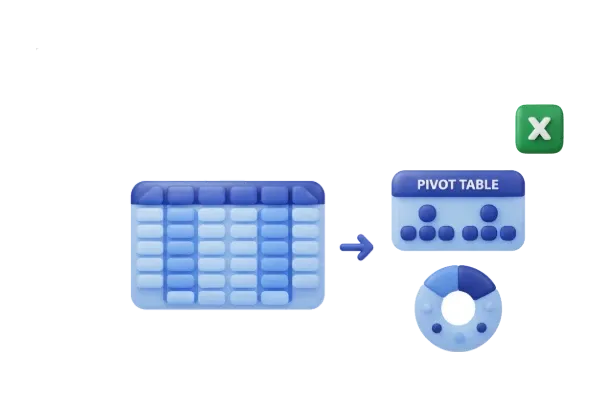
Course 4: Data Analysis in Excel.
PivotTables, what-if analysis and forecasting.

Course 5: Case Study: Analyzing Customer Churn.
Put it all together on a real-world business problem.
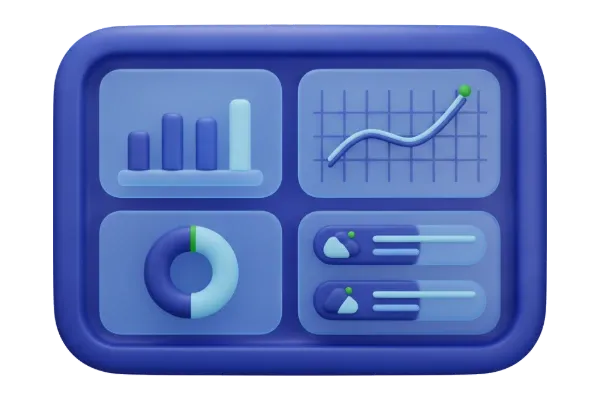
Hands-on practice
Every lesson has exercises, so you practise each skill straight away.
Skill assessments
Find your level and see what to learn next.

PLUS:
Plus: 810+ other courses with DataCamp Premium.
Every first chapter is free. Try it before you pay. 🔐

✓ Learn Excel in a clear order, never random tricks again
✓ Write formulas and lookups with confidence
✓ Build PivotTables and summaries in minutes

✓ Practise every skill hands-on, not just watch
✓ Make charts and dashboards that impress at work
✓ Finish with a real case study you can talk about in interviews

Hello from
StepForge Training
I know what it's like to stare at a spreadsheet and feel stupid. Most of us learned Excel by panic-Googling one problem at a time. You fix today's job, but you never feel in control.
What changed for me was learning in a proper order. Once the basics made sense, the "hard" stuff like lookups and Pivot Tables suddenly wasn't hard.
Now I make beginner Excel videos on YouTube every day, and the same questions come up again and again in the comments. That tells me exactly where people get stuck.
My free videos fix one problem at a time. When you're ready to go from fixing problems to really knowing Excel, Excel Fundamentals is the path I point people to. It's for beginners who want real skills, not just one more trick.
Who makes the course?
Meet DataCamp,
DataCamp has taught data skills to more than 20 million learners, and 80% of Fortune 1000 companies use it. The Excel Fundamentals track is built by their curriculum team, Jess Ahmet and Iason Prassides, with Agata Bak-Geerinck (Product Owner Data at Telenet) and Nick Edwards (Analyst at Roofstock). These are people who use data at work every day. That's exactly why I'm happy to send you their way.
Real reviews from DataCamp learners
What Learners Say About Excel Fundamentals

Cielo Marie
DataCamp learner, 5 stars
“It's a good refresher for those who have been using Excel in their work, and a comprehensive track for those beginners :)”

⭐ 4.8 out of 5
Average rating from 70 reviews
Learners rate the Excel Fundamentals track 4.8 out of 5 on DataCamp.

110,000+ learners
have enrolled in this track
And DataCamp itself has taught more than 20 million learners worldwide.
Let me remind you of everything you get in Excel Fundamentals!

5 Excel courses in one clear path (about 16 hours)
Hands-on exercises in every lesson
A real-world case study project
Skill assessments to find your level
Certificate when you finish (with Premium)
Plus 810+ other courses on DataCamp Premium
Start Free Today
Your first time-saving report could be happening tomorrow… if you start now.
The first chapter of every course is free. Want the whole track? DataCamp Premium is £36 a month, or pay yearly and it works out at about £10 a month (you save £317). Cancel any time.
Bonus tip: many employers pay for training. It's worth asking your boss!
Every first chapter is free. Try it before you pay. 🔐
FAQ
Frequently Asked Questions
Short video lessons, then hands-on exercises, at your own pace, right in your browser.
No. The track needs no experience at all. It starts from the very beginning.
Most people use something new at work within the first few lessons. Lookups and Pivot Tables alone save hours.
Yes. The first chapter of every course is free, and you only pay if you choose to upgrade. You can cancel any time and keep access until the end of the period you've paid for. DataCamp doesn't refund unused time, so try the free chapters first.
The lessons run on DataCamp in your browser. To use your new skills at work, any recent version of Excel is fine.